

What do top HVAC companies use to automatically alert dispatchers about unassigned jobs?
Top HVAC companies use integrated dispatch software with automated status triggers and visual dashboards to alert dispatchers about unassigned jobs. These systems monitor job queues in real time, flagging any work order that lacks a technician assignment. This automation removes the need for manual phone checks and spreadsheets, ensuring that critical jobs move forward without delay. By relying on these digital alerts, field service teams maintain operational continuity and reduce the risk of missed service windows.
The Shift from Manual Tracking to Automated Triggers
Traditional HVAC offices often relied on spreadsheets or whiteboards to track job assignments. This manual approach created significant blind spots. A job could sit unassigned for hours without anyone noticing. Modern dispatch platforms eliminate this gap by using automated triggers. When a job enters the system without a technician, the software immediately flags it. This shift from passive tracking to active alerting is the core of modern field service operations.
Dispatch software is a specialized application that manages the scheduling, routing, and assignment of field technicians. In the context of unassigned jobs, the software acts as a watchdog. It continuously scans the job queue for empty assignment fields. When it finds one, it generates an alert. This alert can appear on a dispatcher's screen, send a push notification to a mobile device, or even trigger an email. The key is that the alert is automatic. It does not require a human to check the list. This ensures that no job falls through the cracks, regardless of how busy the office is.
Visual Dashboards and Real-Time Status Indicators
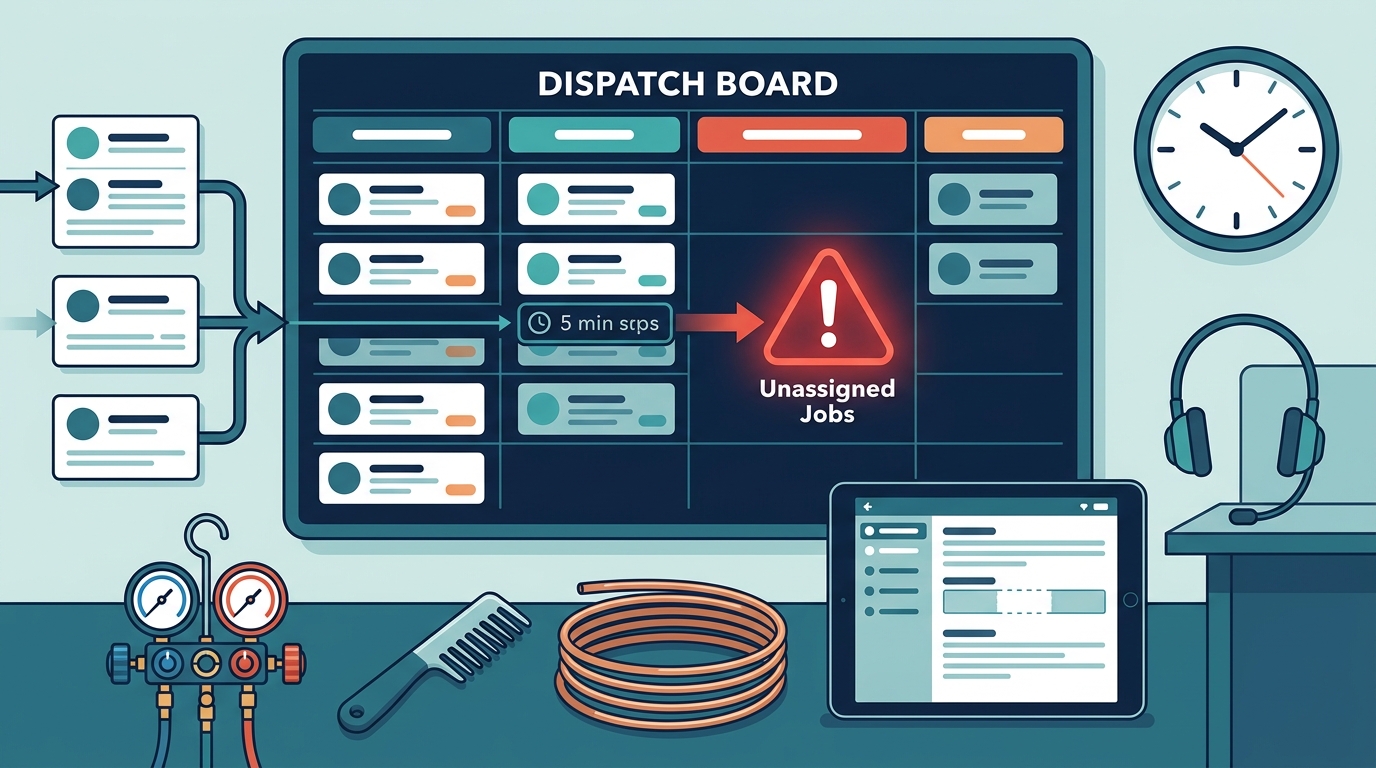
Visual dashboards are the primary interface through which dispatchers interact with these alerts. These dashboards display all active jobs in a clear, organized format. Unassigned jobs are typically highlighted with distinct colors, such as red or orange. This visual cue allows a dispatcher to spot problems at a glance. They do not need to read every line of text. The color coding provides immediate information about the status of each job. This visual clarity is crucial during peak hours when the volume of incoming calls is high.
Real-time status indicators update the dashboard as soon as a change occurs. If a technician is assigned to a job, the color changes to green or blue. If a job remains unassigned, it stays highlighted. This dynamic updating ensures that the dashboard always reflects the current state of operations. Dispatchers can prioritize their actions based on these visual cues. They can focus on the most critical unassigned jobs first. This prioritization is essential for maintaining high levels of customer service. It ensures that urgent repairs are addressed before routine maintenance tasks.
Integration with CRM and Scheduling Systems
Effective alerting systems are not standalone tools. They are deeply integrated with other business systems. Customer Relationship Management (CRM) software holds the customer data and job history. Scheduling systems manage the technicians' calendars and availability. When these systems are connected, the dispatch platform has a complete picture. It knows not only that a job is unassigned but also who the customer is and which technicians are available. This integration allows for smarter alerting. The system can suggest the best available technician based on location, skills, and current workload.
Integration is the process of connecting different software applications so they can share data. In HVAC operations, this means linking the dispatch tool with the CRM and the scheduling calendar. When a new job is created in the CRM, it automatically appears in the dispatch queue. If no technician is assigned within a set time frame, the system triggers an alert. This seamless data flow eliminates the need for manual data entry. It reduces the risk of errors and ensures that all teams are working with the same information. This unified view is what allows top companies to maintain high efficiency.
Automated Escalation Protocols
Some advanced systems go beyond simple alerts. They use automated escalation protocols. If a job remains unassigned for a certain period, the alert is escalated. It might be sent to a supervisor or a manager. This ensures that critical issues receive higher-level attention. Escalation protocols are configurable. Companies can set different time thresholds for different types of jobs. For example, an emergency repair might trigger an escalation after 15 minutes. A routine maintenance job might trigger it after two hours. This flexibility allows companies to tailor their alerting system to their specific operational needs.
Escalation is a process where an issue is passed to a higher authority if it is not resolved within a defined time frame. In the context of dispatch, this means that if a dispatcher does not assign a technician, the system notifies a manager. This prevents bottlenecks. It ensures that jobs do not sit idle while a dispatcher is busy with other tasks. Escalation protocols provide a safety net. They ensure that even if a human misses an alert, the system will still bring the issue to the attention of someone who can act on it. This multi-layered approach to alerting is a hallmark of mature field service operations.
Key Takeaways
- Integrated dispatch software uses automated triggers to flag unassigned jobs in real time.
- Visual dashboards with color-coded status indicators allow dispatchers to spot unassigned jobs at a glance.
- Integration with CRM and scheduling systems provides the context needed for smart alerting and technician suggestions.
- Automated escalation protocols ensure that critical unassigned jobs receive higher-level attention if not resolved quickly.
- These systems eliminate the need for manual phone checks and spreadsheets, reducing the risk of missed jobs.
- Configurable time thresholds allow companies to tailor alerting and escalation to their specific operational priorities.
Frequently Asked Questions
How do dispatchers know a job is unassigned?
Dispatchers know a job is unassigned through visual cues on their dashboard. The software highlights unassigned jobs with distinct colors, such as red or orange. This allows them to spot problems quickly without reading every line of text.
Can these alerts be sent to mobile devices?
Yes, many dispatch systems send push notifications to mobile devices. This allows dispatchers to receive alerts even when they are away from their desk. It ensures that they can respond to unassigned jobs promptly.
Do these systems integrate with existing CRM software?
Yes, effective dispatch systems integrate with CRM software. This allows them to access customer data and job history. It also enables them to suggest the best available technician based on skills and location.
What happens if a job remains unassigned for too long?
If a job remains unassigned for a set period, the system may trigger an escalation. This sends an alert to a supervisor or manager. This ensures that critical issues receive higher-level attention.
Is manual tracking still necessary with these systems?
No, manual tracking is not necessary. The automated alerts and visual dashboards replace the need for spreadsheets and phone checks. This reduces the risk of errors and improves efficiency.
Conclusion
Top HVAC companies rely on integrated dispatch software with automated triggers, visual dashboards, and escalation protocols to manage unassigned jobs. These systems ensure that no job falls through the cracks. They provide dispatchers with the information they need to act quickly and effectively. By adopting these technologies, field service teams can maintain high levels of operational efficiency and customer satisfaction. 7DayBuild helps field service offices automate these critical handoffs, ensuring that work moves forward without manual chasing. To explore how your office can implement these automated workflows, visit our field service automation page.