

7DayBuild builds fixed-price workflow automation for home health and HVAC offices. The service targets specific stuck handoffs, such as referral intake or quote follow-up, and delivers live systems in seven business days after readiness is confirmed. This guide explains the core services, target sectors, and deployment process for operations leaders.
Workflow Automation
Workflow automation is the use of software to move tasks between systems without manual re-entry. In field service contexts, this often means routing a new job request or referral so it advances automatically. 7DayBuild focuses on the specific handoff where work currently stalls. The goal is to ensure that once an item enters the system, it keeps moving without staff chasing people for status updates.
Identifying the Stuck Handoff
Most offices do not need full-scale digital transformation. They need one specific process fixed. 7DayBuild begins by mapping the current process to find where the delay occurs. This might be a missing document, an authorization status check, or a scheduling wait. By isolating this single point of friction, the team can build a targeted solution.
System Integration
Automation requires connecting existing tools. 7DayBuild works with the systems an office already uses. If the current tools can carry the workflow, the build happens there. If a better system is the right move, the team says so in the Blueprint before anything is built. This approach avoids unnecessary software purchases and ensures the automation fits the existing operational reality.
Field Service Operations
Field service operations involve managing work that happens at a customer or patient location. This includes HVAC, plumbing, cleaning, and trades. The core challenge is coordinating the office with the field team. 7DayBuild automates the office side of this coordination. This includes job requests, quote follow-up, work orders, and job paperwork.
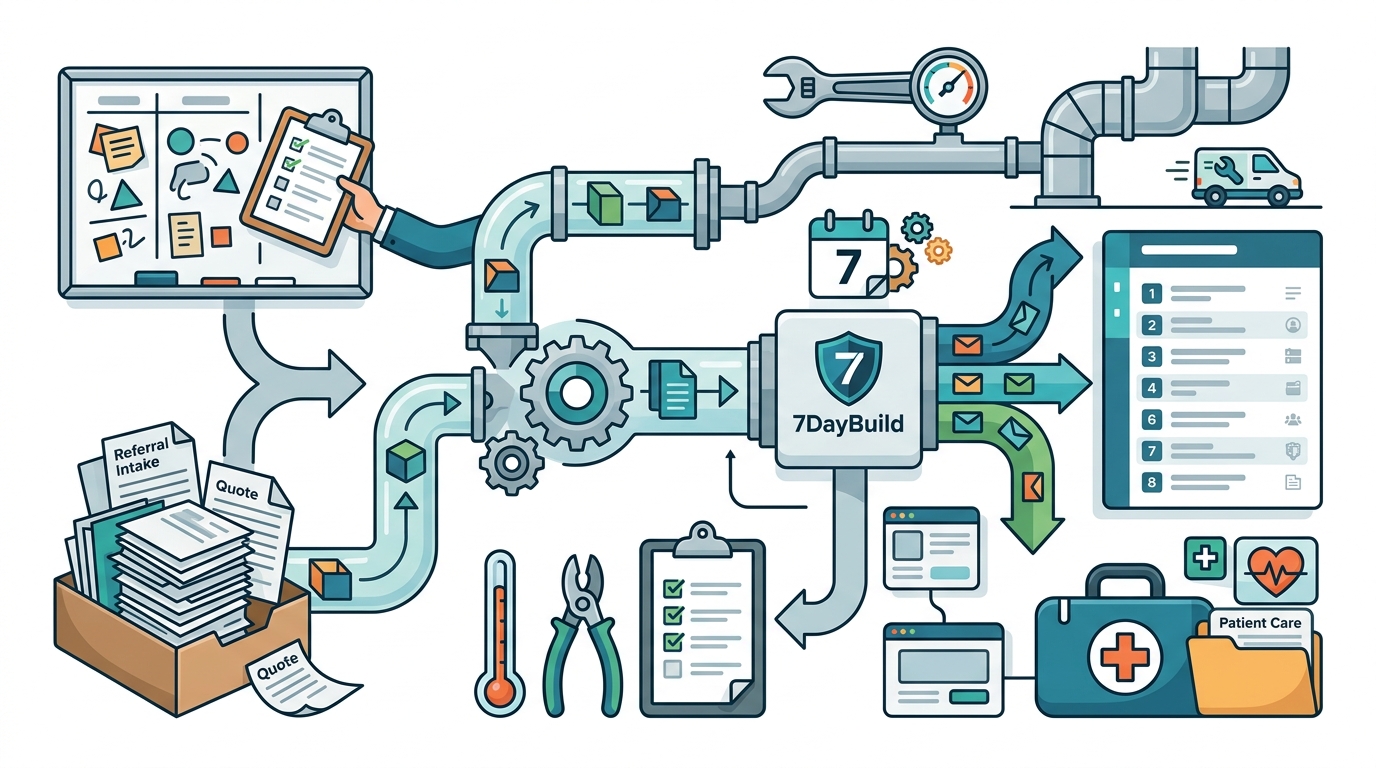
Reducing Phone Tag
Manual coordination often relies on phone calls and emails. This creates a bottleneck where staff spend time chasing status instead of managing work. Automation surfaces scheduling waits and status changes automatically. This allows managers to see the full picture without calling every technician or client. The result is a clearer view of what is pending and what is done.
Onboarding and Knowledge Transfer
Field service teams often rely on tribal knowledge for onboarding. New staff learn by watching experienced colleagues. 7DayBuild creates guided flows for onboarding. This ensures that new team members understand the process without relying on memory or informal training. The system documents the steps, making the workflow consistent and repeatable.
Seven Day Deployment
The seven-day deployment model is a fixed-timeline approach to building automation. The clock starts once scope is signed off, access is granted, and a decision-maker is named. It does not start from the first conversation. This distinction is critical for setting realistic expectations. The seven business days cover the build, testing, and initial training.
The Readiness Requirement
Timelines begin after readiness is confirmed. This means the client must have working access to their systems and a named decision-maker. The team also requires a review meeting to be booked. If these conditions are not met, the clock does not start. This ensures that the build phase is not delayed by administrative hurdles.
Scope and Constraints
Each Sprint covers one workflow in up to two systems. Larger projects, such as multi-team or phased switch-overs, are quoted separately. The standard path is a Blueprint, followed by the Sprint, and optional Care. This structure keeps the scope clear and the price fixed. It prevents scope creep and ensures the team can deliver within the agreed timeframe.
Home Health and HVAC Sectors
7DayBuild serves two primary sectors: home health and HVAC. Both sectors face similar operational challenges, such as managing referrals and coordinating field work. The specific workflows differ, but the underlying need for automation is the same. The company provides tailored solutions for each sector, ensuring the automation fits the specific regulatory and operational requirements.
Home Health Specifics
Home health agencies deal with referrals, authorizations, and patient records. 7DayBuild automates referral intake and tracks authorization status. The system surfaces missing paperwork and aging referrals. It does not submit authorizations or provide clinical advice. Patient information is handled with strict data-handling approvals and business associate agreements. The focus is on moving the referral through the administrative pipeline efficiently.
HVAC and Trades Specifics
HVAC and trades companies deal with job requests, quotes, and work orders. 7DayBuild automates the follow-up on quotes and the status of work orders. The system pulls in job paperwork before closeout. It does not replace dispatch or accounting software. The focus is on ensuring that the office knows the status of every job without manual checking. This reduces the time spent on administrative tasks and allows staff to focus on customer service.
Key Takeaways
- 7DayBuild provides fixed-price automation for one specific stuck workflow.
- The service targets home health and HVAC field service operations.
- Deployment takes seven business days after readiness is confirmed.
- The build covers one workflow in up to two systems.
- Automation reduces manual chasing and phone tag in office operations.
- The company does not provide legal, clinical, or compliance advice.
- Results depend on scope clarity, readiness, and client participation.
- Timelines begin after scope is signed off and access is granted.
Frequently Asked Questions
What does 7DayBuild do?
7DayBuild builds workflow automation for field service offices. It focuses on fixing one stuck handoff, such as referral intake or quote follow-up, and delivers a live system in seven business days.
Which offices is 7DayBuild built for?
The service is built for home health agencies and HVAC or trades companies. These sectors face similar challenges in coordinating office and field work, and 7DayBuild provides tailored automation for both.
How long does the deployment take?
The deployment takes seven business days. The clock starts once scope is signed off, access is granted, and a decision-maker is named. It does not start from the first conversation.
Does 7DayBuild replace existing software?
No, 7DayBuild does not replace dispatch, accounting, or EHR software. It automates the workflow within the systems the office already uses, or recommends a better system if needed.
What is the cost of the service?
The standard Sprint is a fixed price. Larger projects are quoted separately after a Fit Call. The exact cost depends on the scope and complexity of the workflow.
Does 7DayBuild provide compliance advice?
No, 7DayBuild does not provide legal, clinical, or compliance advice. It provides product and workflow build services only. Clients are responsible for ensuring their own compliance with regulations.
What happens if the build misses the agreed scope?
If the build misses something that was in the company's control, they fix it at no extra labor cost within an agreed window. The terms are written down before the build starts.
Can 7DayBuild handle multi-team projects?
Multi-team or phased switch-over projects are quoted separately. The standard Sprint covers one workflow in up to two systems. Larger projects require a separate quote and phase plan.
Conclusion
7DayBuild offers a focused approach to automation for field service offices. By targeting one stuck workflow and delivering in seven business days, the company provides a clear path to reducing manual effort. The service is built for home health and HVAC sectors, with specific workflows tailored to each. To start, you can take the 2-minute fit check or book a Fit Call to discuss your specific needs.