

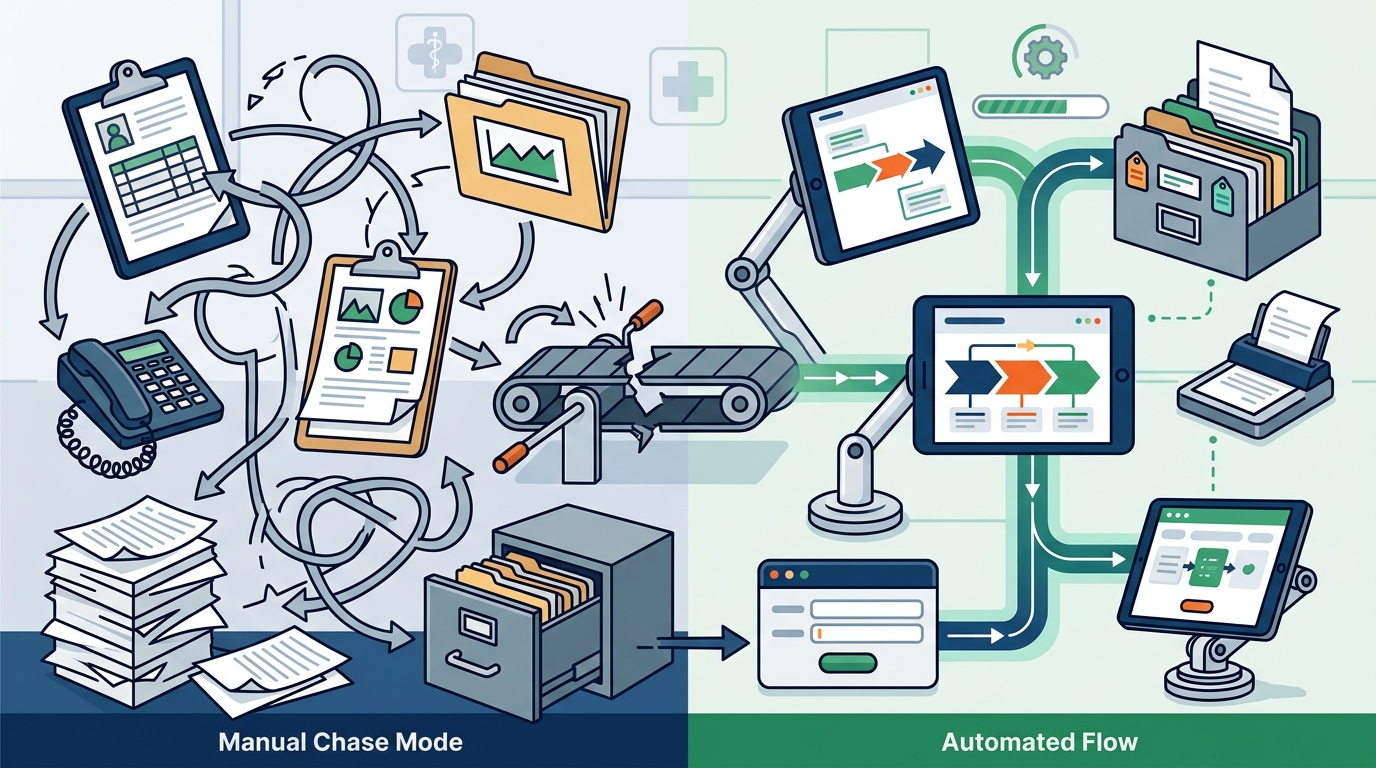
Healthcare operations teams can automate workflows without starting from scratch by mapping existing manual processes, identifying the specific handoff where work stalls, and building targeted automation around that bottleneck. This approach preserves current systems while eliminating redundant data entry and phone tag. 7DayBuild specializes in this rapid deployment model, helping home health and hospice agencies advance how referrals move through their existing infrastructure.
Defining the Automation Boundary
Workflow automation is the use of software to move data and tasks between systems without manual intervention. In healthcare operations, this often means connecting intake forms to scheduling tools or linking authorization status to billing queues. The goal is not to replace your Electronic Health Record (EHR) or dispatch software. Instead, the focus is on the gaps between these tools where staff currently spend time chasing updates.
Many agencies assume they need a complete system overhaul to achieve efficiency. This is rarely true. The most effective automations target a single, high-friction handoff. For example, if a referral arrives via email and requires manual entry into three different platforms, automating that specific ingestion process yields immediate value. By defining the boundary clearly, teams avoid the scope creep that plagues large-scale digital transformation projects.
Mapping the Current State
Before writing a single line of code, teams must document how work moves today. This process involves identifying who owns each step, what systems are involved, and where delays occur. A Workflow Blueprint serves as this foundational map. It measures current performance and confirms whether the proposed automation is technically feasible within the existing stack.
Consider a home health agency where missing paperwork causes authorization delays. The map reveals that 40% of referrals lack a required insurance verification document. The implication is clear: the automation should not just move data, but actively surface missing documents to the responsible staff member. This evidence-based approach ensures the solution addresses the root cause of the delay rather than just the symptom.
Building Within Existing Systems
Building on top of existing tools is the core principle of this strategy. If your current software can carry the workflow, the automation should be built there. This avoids the cost and disruption of migrating to a new platform. Sample automated flows demonstrate how data can be routed, blockers cleared, and aging items surfaced without replacing the underlying EHR or scheduling system.
For instance, a hospice team might use a simple integration to pull in patient demographics from a referral portal directly into their case management tool. This eliminates the need for staff to retype information. The implication is a reduction in human error and a faster time-to-service. By leveraging what you already have, you maintain institutional knowledge while gaining the speed of automation.
Managing Data Privacy and Compliance
Healthcare automation is not just about speed; it is about trust. Any tool that touches patient information requires strict data handling protocols. Before live work begins, vendors must be named, Business Associate Agreements (BAAs) confirmed, and access limits tested. 7DayBuild emphasizes that sample flows use made-up data, and no real patient records are shared during initial fit checks. This ensures that sensitive information remains protected throughout the development process.
The implication of proper compliance is operational stability. When data handling is documented and incident owners are named, teams can deploy automation with confidence. This is not about replacing legal or clinical advice, but about ensuring the technical implementation respects the regulatory environment in which healthcare operates.
Executing the Rapid Sprint
Once the blueprint is approved, the build phase begins. A 7 Day Workflow Sprint is a fixed-price engagement designed to deliver a working automation within seven business days of readiness. This timeline starts only after scope is signed off, access is granted, and a decision-maker is named. The sprint includes building, testing, and training your team on the new process.
The concrete example here is the delivery of a written how-to guide and 14 days of follow-up fixes. This ensures that the automation does not just work on day one, but remains stable as your team adapts. The implication is a sustainable change in operations, not a temporary fix. By capping the timeline and scope, the team maintains focus and delivers a tangible result quickly.
Key Takeaways
- Automation should target specific handoffs where work stalls, not replace entire systems.
- A detailed process map is essential to identify the root cause of delays.
- Building on existing software reduces cost and disruption compared to full migrations.
- Strict data privacy protocols, including BAAs, are mandatory before handling patient data.
- Fixed-price sprints with clear scope definitions prevent budget overruns and scope creep.
Frequently Asked Questions
Do I need to buy new software to automate my healthcare workflow?
Only if that is the clearer path. We start by looking at what you have. If your current tools can carry the workflow well, we build there. If a better system is the right move, we say so in the Blueprint and agree before anything is built.
How long does the implementation process take?
The seven business days start once scope is signed off, we have working access to your systems, one decision-maker is named, and a review meeting is booked. Timelines begin after readiness is confirmed, not from the first call.
Do you need access to patient information during the setup?
Not for the initial fit call or fit check. Please do not send patient names, medical record numbers, or chart notes. Access for live work is agreed in writing first, with strict data handling protocols in place.
What happens if the automation misses a requirement?
We write down what “done” means before we start. If we miss something that was in our control, we fix it at no extra labor cost within an agreed window. Full terms are in the agreement.
Can you replace my EHR or dispatch software?
No. We do not replace field service, dispatch, or accounting software. We automate the handoffs between your existing tools to ensure work moves without manual chasing.
Start With a Fit Check
Automating healthcare operations does not require a complete rebuild. It requires a clear map of where your work gets stuck and a partner who can build a targeted solution around that bottleneck. Take the 2-minute fit check to determine if your workflow is a good candidate for a rapid sprint. This initial step helps define scope and ensures that the automation aligns with your operational reality.