

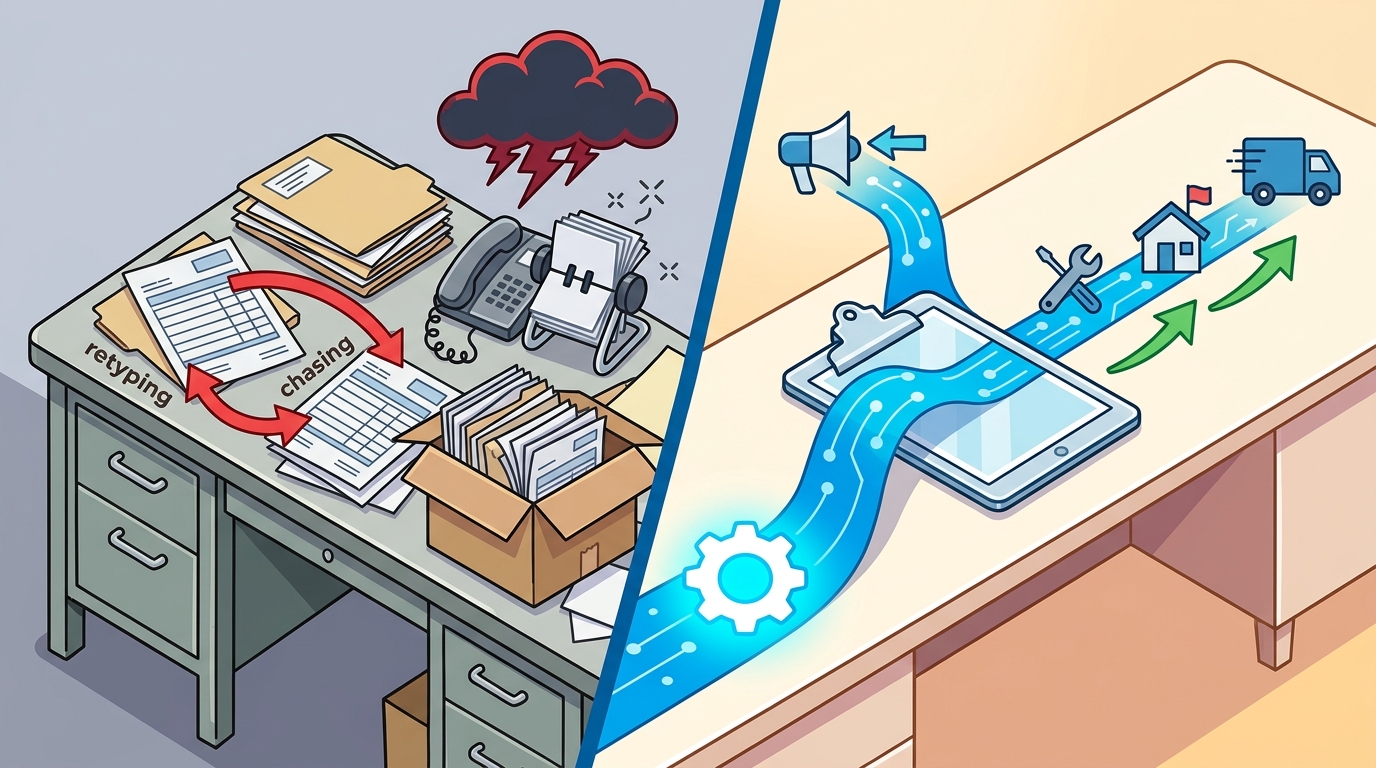
Field service offices eliminate manual data entry by automating the specific handoff where work stalls. Instead of staff retyping job details or chasing phone calls for status updates, a connected system moves the work order forward automatically. 7DayBuild focuses on this exact bottleneck, building automation that lets a job enter once and keep moving without human intervention. This approach removes the friction that slows down HVAC, plumbing, and home health teams.
The Cost of Chase Mode
Manual data entry is not just a typing task; it is a source of operational drag. When a new job request arrives via voicemail or email, staff must manually log it into a spreadsheet or software. This creates a gap where the work sits until someone remembers to check the inbox. Chase mode is the operational state where staff spend their day hunting for missing information rather than completing work. In a typical field service office, this can consume hours of high-value labor daily. The implication is clear: if the data does not move itself, the business cannot scale without adding more headcount to do the chasing.
Defining the Stuck Handoff
To fix the problem, you must identify the specific point of failure. Workflow automation is the use of software to move data and tasks between systems without human input. Most offices have multiple systems, such as a phone line, an email inbox, and a dispatch software. The problem usually occurs at the transition between these tools. For example, a quote might be sent, but the follow-up reminder is never set. By mapping this specific handoff, you can see exactly where the data stops. This clarity is the first step toward eliminating the need for manual entry.
Automating the Intake Process
Once the stuck point is identified, automation can bridge the gap. Consider a home health agency where referrals arrive via fax or email. Instead of a coordinator manually entering patient details into the EHR, an automated flow can parse the incoming message and populate the necessary fields. This ensures the referral is visible to the right manager immediately. The evidence for this approach is simple: data that is entered once and validated at the source reduces errors and delays. For field service teams, this means a job request enters the system once and keeps moving toward scheduling.
Building for Specific Sectors
Automation is not one-size-fits-all. Different sectors have different data requirements. HVAC and plumbing offices often struggle with quote follow-up and work order status. Home health and hospice agencies face challenges with referral intake and authorization tracking. 7DayBuild designs solutions for these specific ecosystems. The implication is that a generic tool may not handle the nuances of your industry. A tailored automation ensures that the data flows in a way that matches your operational reality, rather than forcing your team to adapt to a rigid software structure.
Implementation and Readiness
Implementing automation requires clear scope and system access. The seven-day timeline often cited in this space refers to the build period after readiness is confirmed. This means the scope is signed off, access to systems is granted, and a decision-maker is named. Readiness is the state where all prerequisites for a successful build are in place. Without this, the timeline extends. The implication for office managers is that preparation is as important as the build itself. Clearing the path for the automation ensures that the live system works as intended from day one.
Key Takeaways
- Manual data entry creates operational drag by forcing staff to retype information across multiple systems.
- Chase mode is a state where employees spend time finding missing data instead of completing work.
- Workflow automation moves data between systems without human intervention, reducing errors.
- The specific handoff where work stalls must be identified before building a solution.
- Automation solutions should be tailored to the specific needs of HVAC, plumbing, or home health sectors.
- Implementation timelines begin only after scope, access, and decision-makers are confirmed.
- Clear definitions of 'done' are essential for successful automation projects.
Frequently Asked Questions
How long does it take to implement workflow automation?
The build phase typically takes seven business days once scope is signed off and system access is provided. This timeline begins after readiness is confirmed, not from the initial consultation call.
Do I need to replace my existing software?
No. Automation often works by connecting your existing tools. If a better system is needed, it will be identified during the planning phase, but the goal is to work with what you have if possible.
What is the difference between automation and AI?
Automation follows set rules to move data. AI can interpret unstructured data. Many field service automations use simple rules to ensure reliability and predictability in data movement.
Can automation handle patient or customer data?
Yes, but appropriate agreements and data-handling approvals are required before production work begins. Access is limited and tested to ensure security and compliance.
What happens if the automation misses a step?
Issues are monitored and fixed as they arise. A written definition of 'done' is established before the build starts to ensure all agreed-upon steps are covered.
Is this suitable for small offices?
Yes. The solution is designed to fix one stuck workflow, making it manageable for small teams that cannot afford to lose time to manual entry.
Next Steps for Your Office
Eliminating manual data entry starts with identifying the one workflow that causes the most friction. 7DayBuild helps field service offices in HVAC, plumbing, and home health automate these critical handoffs. By focusing on a specific, stuck process, you can see results quickly without overhauling your entire operation. To plan your visit, take the 2-minute fit check to see if your workflow is a good candidate for automation. according to 1 11 2