

Manual quote follow-up stalls revenue when estimates sit in inboxes or spreadsheets without a clear owner. 7DayBuild automates this specific handoff for field service operations, ensuring quotes advance on a set cadence rather than waiting for someone to remember them. This guide covers how to identify stalled estimates, the automation patterns that keep them moving, and how to evaluate a partner who can implement this within your existing systems.
Quote Recovery Rates and the Cost of Waiting
Quote recovery rate is the percentage of issued estimates that convert into signed work orders. In field service industries like HVAC and plumbing, this metric often drops significantly when follow-up relies on memory or manual logging. When a quote is sent, the clock starts immediately. Customers who do not hear from a business within the first 24 to 48 hours are less likely to respond. This delay is not just an inconvenience; it is a direct revenue leak.
The Impact of Manual Tracking
Manual tracking usually involves a spreadsheet or a CRM field that no one updates. The owner or office manager must remember to check the list every day. If they are busy with dispatch or phone calls, the list gets ignored. Quotes age. Customers assume the company is disorganized or uninterested. The result is a lower close rate and a higher volume of re-quotes for the same job.
Why Speed Matters in Trades
Speed to follow-up is a critical differentiator in the trades. A customer comparing three contractors will often choose the one who communicates most clearly and promptly. Automation removes the human variable from this equation. The system sends the first follow-up automatically. It schedules the second and third. It flags the quote for human attention only when the customer responds or when the quote reaches a specific age threshold. This ensures no estimate sits waiting in a digital void.
Diagnosing Where Quotes Get Stuck
Before building any automation, you must understand exactly where the current process fails. A broken workflow is not always a software problem. Sometimes it is a clarity problem. You need to map the journey of a quote from the moment the technician finishes the estimate to the moment the customer signs the work order. Identify every handoff. Identify every point where information is lost or delayed.
Common Failure Points
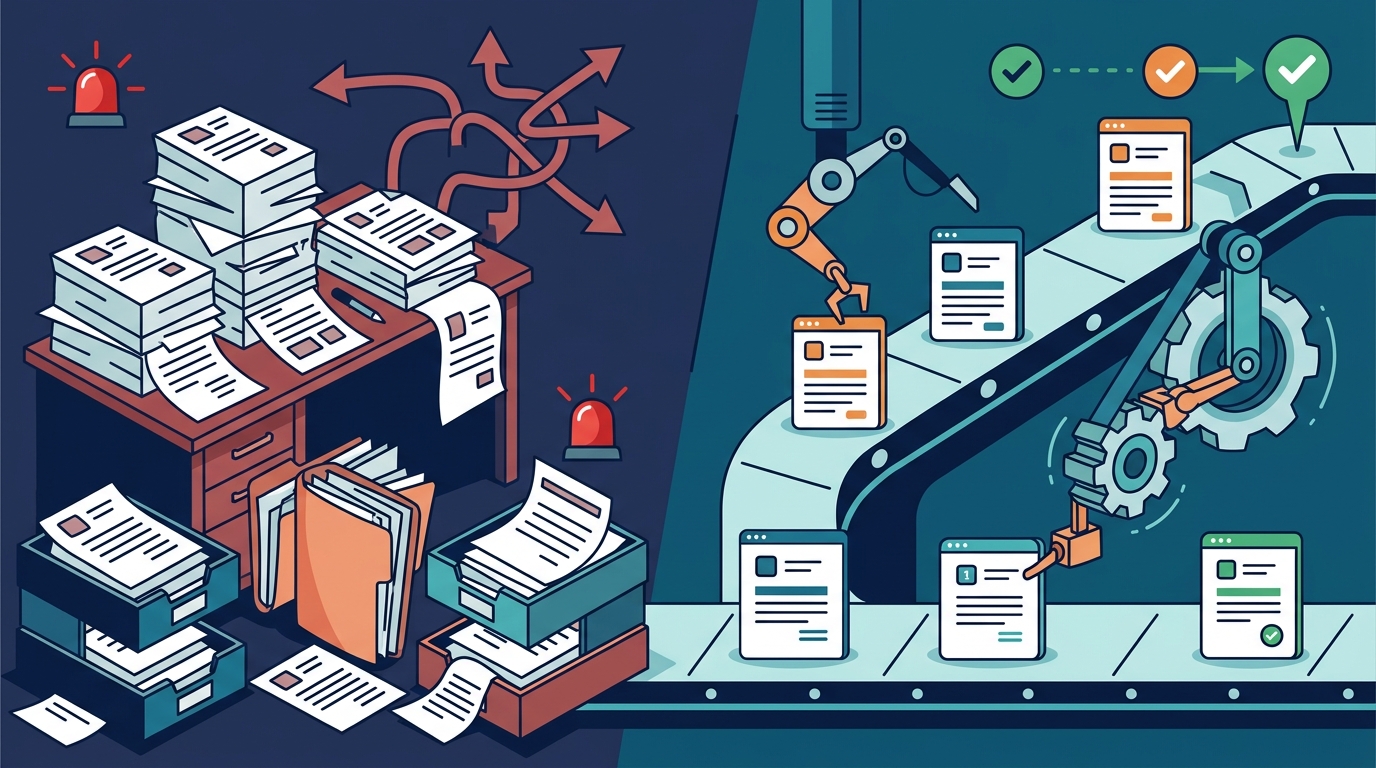
Most HVAC and plumbing companies experience stalls in three specific areas. First, the data entry gap. The technician sends the quote from the field, but the office has to retype it into the CRM. This duplication creates errors and delays. Second, the ownership gap. No one is explicitly assigned to follow up on a specific quote. Everyone assumes someone else is handling it. Third, the visibility gap. The owner cannot see which quotes are aging without manually digging through reports.
Measuring the Baseline
You need data to prove the problem exists. Track the average time from quote issuance to first follow-up. Track the average time from quote issuance to close or loss. Track the percentage of quotes that require manual intervention to move forward. These numbers become your baseline. They define what "done" means for the automation project. Without a baseline, you cannot measure improvement.
Automation Patterns for Quote Follow-Up
Automation for quote follow-up is not about replacing human judgment. It is about removing the administrative burden of remembering to act. The system handles the cadence. The human handles the conversation. There are several patterns that work well for field service operations. The right pattern depends on your current tools and your team's capacity.
Cadence-Based Follow-Up
This is the most common pattern. The system sends a sequence of messages based on time. For example, a message at 24 hours, another at 72 hours, and a final nudge at one week. If the customer replies, the sequence stops. If they do not, the system flags the quote for the owner or a sales rep. This ensures consistent contact without requiring the office manager to remember every single estimate.
Status-Triggered Alerts
Instead of time-based triggers, you can use status changes. When a quote is marked as "Sent," the system starts a timer. If the status does not change to "Accepted" or "Declined" within a set period, an alert is sent to the manager. This is useful for high-value jobs where you want immediate attention on stalled estimates. It surfaces the problem before it becomes a lost sale.
Integration with Existing Tools
The best automation lives inside the tools you already use. If you use a specific dispatch or CRM platform, the automation should connect to it. This avoids creating a new silo of data. The quote data stays in one place. The follow-up actions are triggered by changes in that central system. This reduces training time and minimizes the risk of data entry errors.
Choosing the Right Automation Partner
Not all automation partners are the same. Some build custom software from scratch. Others configure existing platforms. For a field service company, the goal is to fix a specific stuck handoff, not to replace your entire tech stack. You need a partner who understands the operational reality of the trades. They should ask about your current tools, your team's workflow, and your specific bottlenecks before proposing a solution.
Scope and Clarity
A reliable partner will define the scope clearly. They will map the process. They will measure the current state. They will write down what "done" means. This prevents scope creep and ensures both parties agree on the outcome. If a partner promises to fix everything in your business, be cautious. Focus on the one workflow that is causing the most pain. In this case, that is quote follow-up.
Fixed Pricing and Timelines
Implementation and Readiness
Implementation is not just about building the code. It is about preparing your team and your data. You need to have clean data in your CRM. You need to have a clear process for how quotes are created and sent. You need to have a designated person who will review the automated alerts. Readiness is key to a successful launch.
The Readiness Check
Before any build begins, a readiness check is essential. This involves confirming that you have access to the necessary systems. It involves naming a decision-maker who can approve changes. It involves booking a review meeting to test the solution. The timeline for the build starts only after these conditions are met. This ensures that the work can proceed without delays caused by missing access or unclear approvals.
Training and Handoff
Once the automation is live, your team needs to know how to use it. They need to understand how to handle the alerts. They need to know how to update the status of quotes. A good partner will provide training and a written guide. They will also offer a period of follow-up support to fix any issues that arise. This ensures that the automation sticks and continues to provide value after the project is complete.
Key Takeaways
- Quote recovery rate is a critical metric that often suffers from manual follow-up delays.
- Manual tracking creates ownership gaps and visibility issues that lead to lost revenue.
- Automation should focus on cadence-based follow-up and status-triggered alerts.
- The best automation integrates with your existing CRM or dispatch tools to avoid data silos.
- Choose a partner who defines scope clearly and offers fixed pricing for predictability.
- Readiness, including clean data and named decision-makers, is required before the build timeline starts.
- Training and a written guide are essential for long-term adoption of the new workflow.
Frequently Asked Questions
How long does it take to implement quote follow-up automation?
The timeline depends on the complexity of your current systems and your readiness. A focused project that targets one specific workflow can often be completed in a matter of days once scope is approved and access is granted. The clock starts after readiness is confirmed, not from the first conversation.
Do I need to buy new software to automate quote follow-up?
Not necessarily. If your current CRM or dispatch software can handle the workflow, the automation can be built within those existing tools. This is often the preferred path because it avoids the cost and disruption of switching systems. A good partner will assess your current tools first.
What happens if a customer does not respond to the automated messages?
The system can be configured to flag the quote for human attention after a set number of automated attempts. This ensures that high-value or complex quotes are reviewed by a person who can make a judgment call on whether to continue pursuing the lead.
Can automation handle different types of jobs, like emergency repairs versus planned installs?
Yes. The automation logic can be tailored to different job types. For example, emergency repairs might have a shorter follow-up cadence than planned installations. The system can route quotes based on job type, value, or other criteria to ensure the right level of attention.
Who owns the data and the automation after the project is complete?
You own your data and your systems. The automation is built to work within your existing infrastructure. You retain full control over the configuration and the data. The partner provides the build and the training, but the operation remains yours.
Is this suitable for small HVAC or plumbing companies?
Yes. In fact, small companies often benefit the most from automation because they have fewer staff to handle administrative tasks. Automating the follow-up process frees up the owner or office manager to focus on higher-value activities like sales and customer relationships.
Conclusion
Manual quote follow-up is a solvable problem. The cost of waiting is high, but the solution is within reach. By diagnosing your specific stalls and implementing targeted automation, you can ensure that no estimate sits waiting in the dark. 7DayBuild specializes in advancing field service operations by automating the handoffs that cause the most friction. If your quotes are stalling, it is time to move them from manual chase mode to automated flow. Take the 2-minute fit check to see if your workflow is a good candidate for a rapid automation sprint.