

Turning a stalled internal workflow into working software in one week is possible when you define a tight scope, isolate the specific bottleneck, and deploy in daily cycles. This guide explains how 7DayBuild approaches rapid automation for field service and healthcare operations. We cover scope definition, deployment rhythms, bottleneck isolation, and acceptance criteria to help you move from manual chasing to automated flow.
Defining MVP Scope for Rapid Delivery
Minimum Viable Product (MVP) scope is the smallest set of features required to solve a specific business problem without unnecessary complexity. In the context of a seven-day build, scope must be ruthlessly narrow. You are not building a full platform; you are fixing one stuck handoff. For a home health agency, this might mean automating referral intake routing. For an HVAC company, it might mean automating quote follow-up cadences.
Identifying the Boundaries
Scope definition begins by identifying what is explicitly out of bounds. 7DayBuild does not replace your existing dispatch, accounting, or EHR software. We build automation that connects to or works alongside your current tools. The scope must specify which systems are involved. A standard sprint covers one workflow in up to two systems. If your workflow requires three or more systems, or involves multiple teams, it is a larger project and requires a different engagement model.
Measuring the Baseline
Before building, you must measure where the workflow stands today. How long does a referral sit in a queue? How many quotes are unassigned? These baseline metrics define success. If you cannot measure the problem, you cannot verify the solution. The Blueprint phase of the 7DayBuild process involves mapping the process and confirming it is doable within the constraints of your current technology stack.
Daily Deployment Cycles in a Seven-Day Sprint
Daily deployment cycles are the operational rhythm that allows a complex workflow to be built, tested, and refined within a short timeframe. Instead of delivering a finished product at the end of the week, the team works in short iterations. Each day, a functional piece of the automation is built and tested. This allows for immediate feedback and course correction.
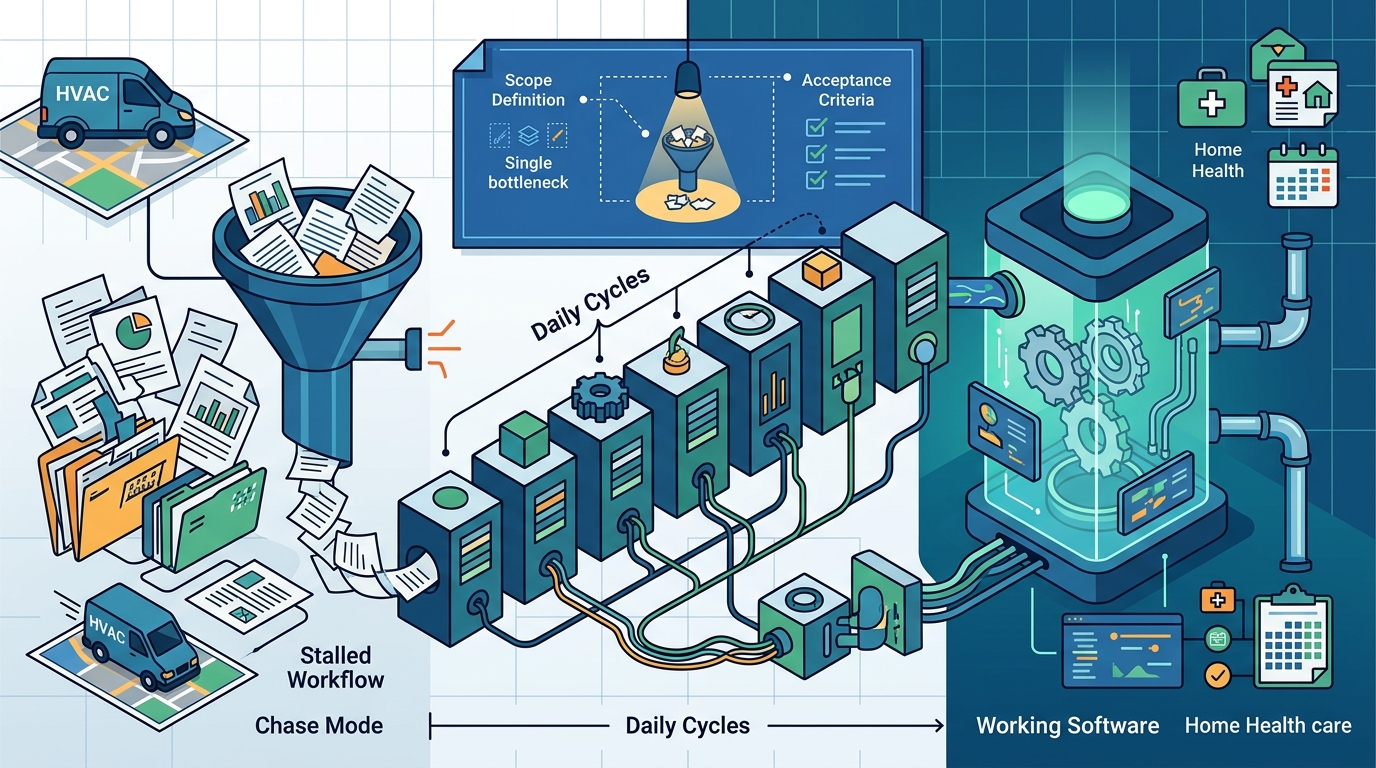
The Seven-Day Rhythm
The seven business days start once scope is signed off, access is granted, and a decision-maker is named. Day one typically involves environment setup and initial data mapping. Days two through five focus on building the core logic and integration points. Day six is dedicated to end-to-end testing with real-world scenarios. Day seven is for final adjustments, team training, and documentation. This rhythm ensures that no major surprises emerge on the final day.
Continuous Feedback
During the sprint, the client team is involved in daily check-ins. This is not a black box. You see the progress. You provide feedback on how the automation feels. If a step in the workflow is not working as expected, it is caught early. This continuous feedback loop is critical for ensuring the final product matches the operational reality of your office.
Isolating the Core Bottleneck
Bottleneck isolation is the process of identifying the single point of failure or delay in a larger workflow. Most offices suffer from "chase mode," where work only moves when someone remembers to check on it. The goal is to find the specific handoff that causes the most friction. Is it the initial intake? Is it the follow-up after a quote? Is it the paperwork collection before closeout?
Common Field Service Bottlenecks
In field service operations, common bottlenecks include new job requests sitting in voicemail, estimates advancing without a cadence, and work order handoffs requiring phone trees. In healthcare, the primary bottleneck is often referral intake, where faxes or portal referrals wait for someone to notice them. By isolating this specific point, you can apply automation to that exact handoff. This targeted approach ensures that the automation provides immediate value without requiring a complete overhaul of your operations.
Why Isolation Matters
Attempting to automate an entire department in one week is a recipe for failure. Isolation allows you to focus resources on the highest-impact area. Once the core bottleneck is resolved, you can expand to adjacent workflows in subsequent sprints. This phased approach reduces risk and ensures that each build delivers tangible results.
Writing Clear Acceptance Criteria
Acceptance criteria are the specific, measurable conditions that must be met for the workflow to be considered complete. These criteria are written down before the build begins. They define what "done" means. For example, an acceptance criterion might be: "Referrals are routed to the correct clinician within 15 minutes of arrival." Without clear criteria, there is no objective way to verify success.
Measurable Outcomes
Criteria should be measurable. Avoid vague statements like "improve speed." Instead, use specific metrics like "reduce time in queue by 50%" or "eliminate unassigned items." These metrics allow you to verify that the automation is working as intended. They also provide a baseline for future improvements. If the criteria are not met, the team works to fix the issue within the agreed window.
Documentation and Training
Part of the acceptance criteria is the delivery of a written how-to guide and team training. The automation is not complete until your team knows how to use it. This ensures that the workflow continues to move after the sprint ends. The guide documents the process, the tools used, and the troubleshooting steps. This documentation is critical for long-term sustainability.
Comparison of Workflow Automation Approaches
| Approach | Scope | Timeline | Best For |
|---|---|---|---|
| Full Platform Build | Multiple workflows, teams, and systems | Months | Large enterprises with dedicated IT teams |
| Phased Engagement | Multi-team or cutover work | Weeks to Months | Organizations undergoing major transitions |
| 7 Day Workflow Sprint | One workflow in up to two systems | 7 Business Days | Field service and healthcare offices with stuck handoffs |
Key Takeaways
- Scope must be narrow: one workflow, up to two systems.
- Daily deployment cycles allow for continuous feedback and course correction.
- Isolate the single biggest bottleneck to maximize impact.
- Acceptance criteria must be measurable and written before the build starts.
- Documentation and training are part of the deliverable, not an afterthought.
- The seven-day clock starts after readiness is confirmed, not from the first call.
- Automation complements existing tools; it does not replace them.
Frequently Asked Questions
How long does the seven-day sprint actually take?
Do I need to buy new software?
Only if that is the clearer path. We start by looking at what you have. If your current tools can carry the workflow well, we build there. If a better system is the right move, we say so in the Blueprint and agree before anything is built.
What happens if the build misses the acceptance criteria?
We write down what "done" means before we start. If we miss something that was in our control, we fix it at no extra labor cost within an agreed window. Full terms are in the agreement.
Can you automate multiple workflows at once?
A standard sprint covers one workflow in up to two systems. If you need to cover more than one workflow, more than two systems, or several teams, that is a larger project and is quoted separately after a Fit Call. according to Data Management Workflow
Do you handle patient or customer data?
Not for the Fit Call or the fit check. Please do not send patient names, medical record numbers, chart notes, or customer account details. Access for live work is agreed in writing first, with appropriate data-handling approvals.
What is included in the deliverable?
The deliverable includes the built automation, a written how-to guide, team training, 14 days of follow-up fixes, and a day-30 review. This ensures the workflow is stable and your team is confident in using it.
Conclusion
Turning a stalled workflow into working software in one week requires discipline. You must define a tight scope, isolate the core bottleneck, and commit to daily deployment cycles. 7DayBuild provides the structure and expertise to make this happen. We build the automation, train your team, and document the process. If you are ready to move your office off chase mode, take the 2-minute fit check to see if your workflow is a good fit for a sprint. according to Ten simple rules